
Find Hard Case
Find your hard case fast using our Case Finder App with just a few clicks.
This App provides a simple interface to help you search for your hard case.
You can search by
- Dimension (internal space or external case size)
- Brand (Pelican, Nanuk, Seahorse, SKB, HRPC)
- Features (long, deep, squarish, etc…)
- Model no. and Alternative hard case.
- House-brand from Rugged-Box.com
- Budget
- Advance Search Filter
Please take a moment to review our disclaimer before making any purchase decisions based on the information provided on Rugged-Box.com.
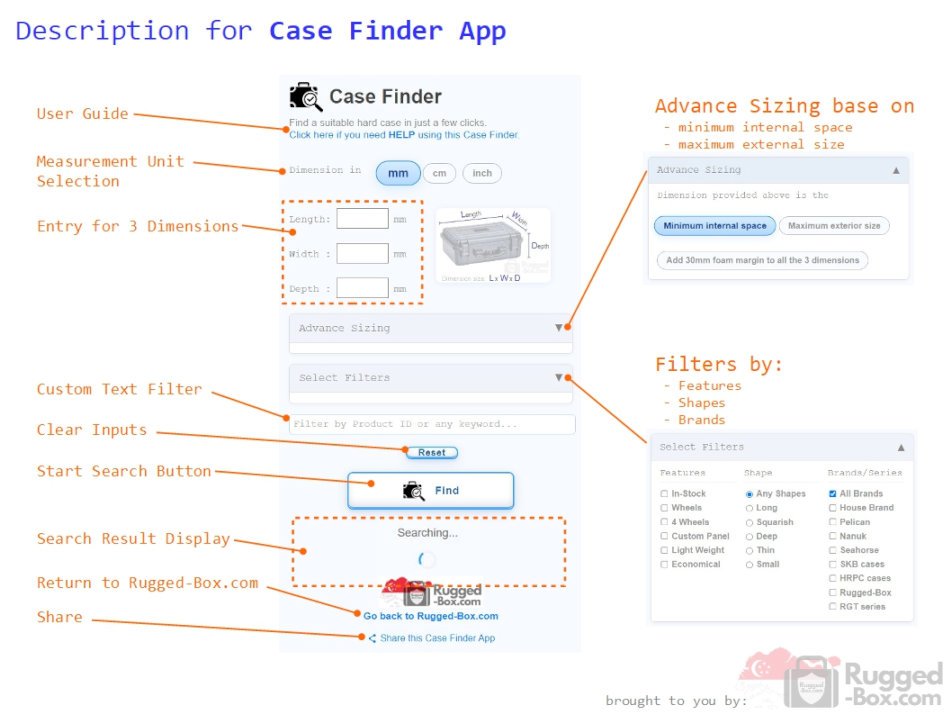
User Guide to Case Finder App
Introduction
Smart Hard Case Matching Tool
The Case Finder is a smart search tool designed to help you quickly identify the most suitable hard case for your equipment. By entering the required dimensions or a known product reference, the system intelligently matches and recommends cases from major brands that best fit your needs.
Case Finder uses a smart algorithm to:
- Identify the closest matching case (exact or best-fit reference)
- Suggest optimal alternatives that are slightly larger for a safe fit
- Include smaller, tighter-fit options for flexibility
- Prioritise practical results based on size compatibility and availability
Advanced filters, such as features, shape, and brands, allow users to refine results further when needed.
Overall, the Case Finder simplifies the selection process by combining precision matching with practical recommendations—helping you to find the right hard case in just a few clicks.
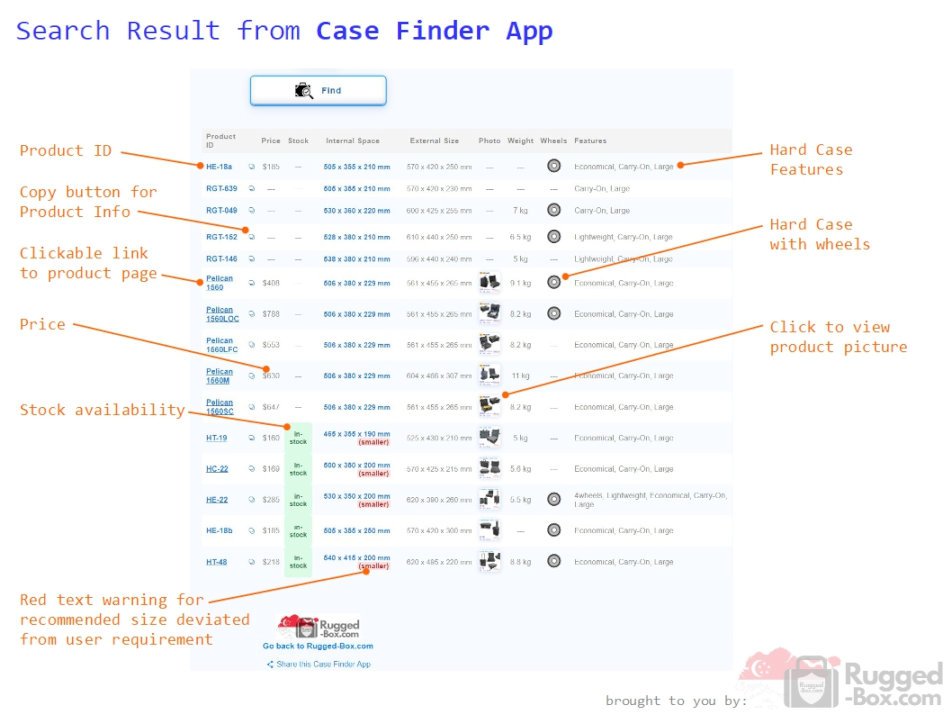
Search Result
The search results display hard-case options from major global brands that most closely match your specifications.
Each result includes useful product details to help you compare options and make a confident decision.
User-friendly interface:
- Product photo preview
- Clickable link to the product page
- Copy button for product information
- Price and stock availability
- Extended recommendations with warning status
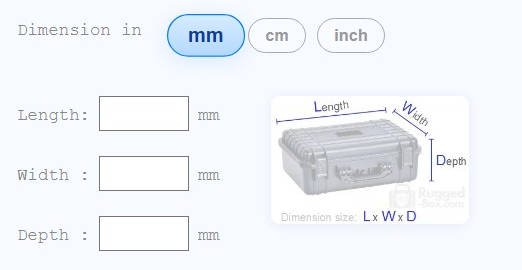
Dimension
The most common way to find a suitable hard case is by using the dimensions of the items you want to store. Simply measure the length, width, and depth required, enter the values into the fields provided, and click the Find button (or press the Enter key) to begin the search.
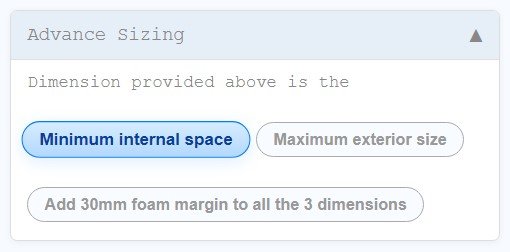
Minimum Internal Space (Default)
By default, the search is based on Minimum Internal Space. This means the system will:
- Return cases with internal dimensions equal to or larger than your input
- Prioritise results that are closest in size to your requirements
- Follow with slightly larger cases that still provide a good fit
This mode is ideal when your priority is to ensure your items fit safely inside the case.
Maximum Exterior Size
If your concern is fitting the case into a limited external space—such as a car boot or storage compartment—you can switch to Maximum Exterior Size. In this mode, the system will:
- Search based on the external dimensions of the case
- Return cases that are equal to or smaller than your specified size
- Prioritize the largest possible case that still fits within your limit
30mm Foam Margin Option
If you require additional protection, you can enable the 30mm foam margin option. This will:
- Add 30mm to each dimension you entered
- Ensure the results account for extra space needed for foam padding
This is useful when you want to ensure enough cushioning space for impact protection.
Measurement Units
You can choose your preferred unit of measurement for the dimension:
- mm
- cm
- inch
Please note:
- Only whole numbers are accepted
- Decimal values are not supported in the current version
Expanded Recommendation
Sometimes the best fit is just a few millimetres off. Case Finder may include slightly oversized or undersized recommendations to give you more options. These results are clearly tagged as “smaller” or “bigger” so you can decide if the deviation works for your needs.
Brand
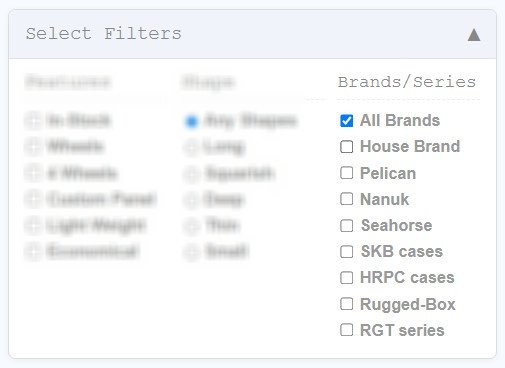
Discover and compare hard cases from top global brands—all in one place.
Narrow your search to a specific brand or expand it across multiple brands to find the best match.
Popular major brands:
- Pelican case
- Nanuk
- Seahorse
- SKB cases
- HRPC cases
- Rugged-Box
- Others






Search for the right hard case model from the brand you trust.
Features
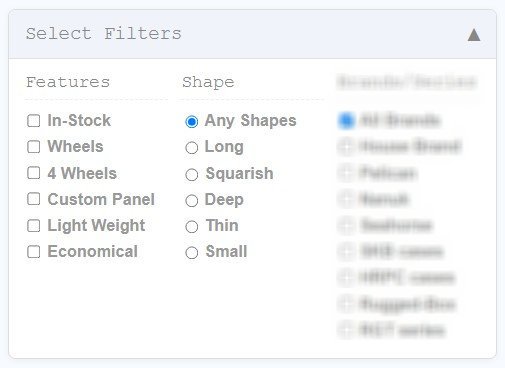
Use the Select Filter to refine your search by shape and features.
Select multiple features, but only one shape at a time.
Features:
- In-Stock
- Wheels
- 4 Wheels
- Custom Panel
- Light Weight
- Economical
Shape:
- Long
- Squarish
- Deep
- Thin
- Small
Model no. & Alternative
Find alternatives when models are unavailable or explore more affordable options with similar specifications.
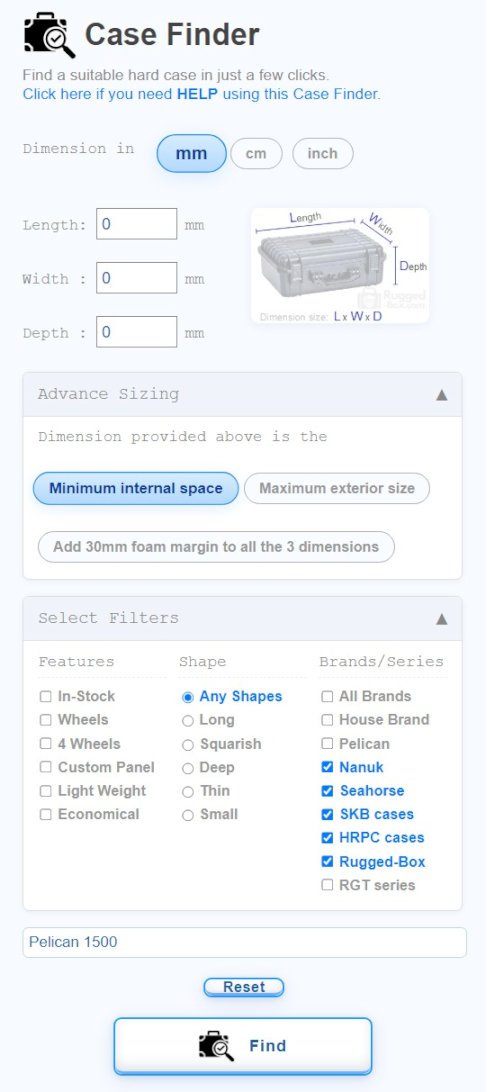
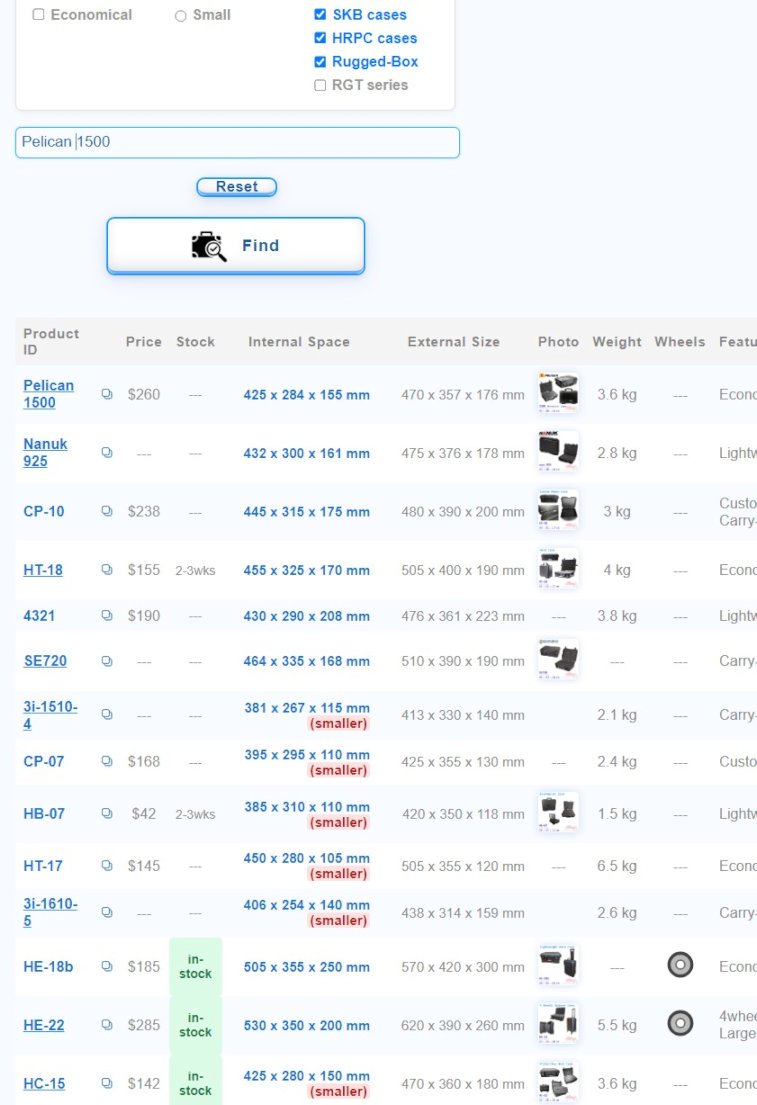
If you know that the Pelican 1500 hard case meets your requirements but it’s out of stock, has a long lead time, or is too expensive, you can easily search for alternatives from other brands.
There’s no need to enter dimension details.
Simply:
- Go to the “Filter by Product ID…” field
- Enter “Pelican 1500” or just “1500”
- Click the button
How Results Work
- The first result will show the exact model you entered
- This is followed by hard cases of similar sizes from other brands
- If a suggested case is smaller than your reference model, it will be marked as “smaller” for easy identification
Refining Your Search
By default, the search includes all available brands.
To narrow your results:
- Use the Select Filter to choose specific brands
- To find alternatives within the same brand (e.g., Pelican), simply deselect all other brands and keep Pelican selected
House Brand
You can choose to search exclusively within Rugged-Box.com’s House Brand by selecting “House Brand” in the Select Filter menu.
This ensures that all hard cases shown in the search results are available for order directly from Rugged-Box.com.
Budget
—
Advance Search Filter
You can use this text field not only for Product IDs, but also to enter keywords or specific features.
The app will then search and filter the results to display relevant hard case models.
Disclaimer (Important Notice)
Case Finder is designed to help you quickly find and compare cases, but the information we provide (including dimensions, compatibility, and specifications) may not always be perfectly accurate or up to date.
We do our best to keep things correct, but products can change over time, and details may vary depending on the manufacturer or model. Before making a purchase, we strongly recommend checking the manufacturer’s official website to confirm all specifications.
Some information on Case Finder may come from third-party sources, which we don’t fully control. Because of this, we can’t guarantee that everything is complete or error-free.
By using Case Finder, you agree that you’re responsible for verifying product details before buying, and that we’re not liable for any issues that arise from relying on the information provided.
Thanks for using Case Finder—we’re here to make your search easier, but it’s always good to double-check!
Refererence
- Pelican Case Finder Guide